v1.0 · iphone · ipad · mac
Two designs,zero clutter.
Simple Notes
Notes for iPhone, iPad & Mac
Simple Notes: notes, notebooks, boards and a voice assistant for iPhone, iPad and Mac. Offline first, no account, no telemetry.
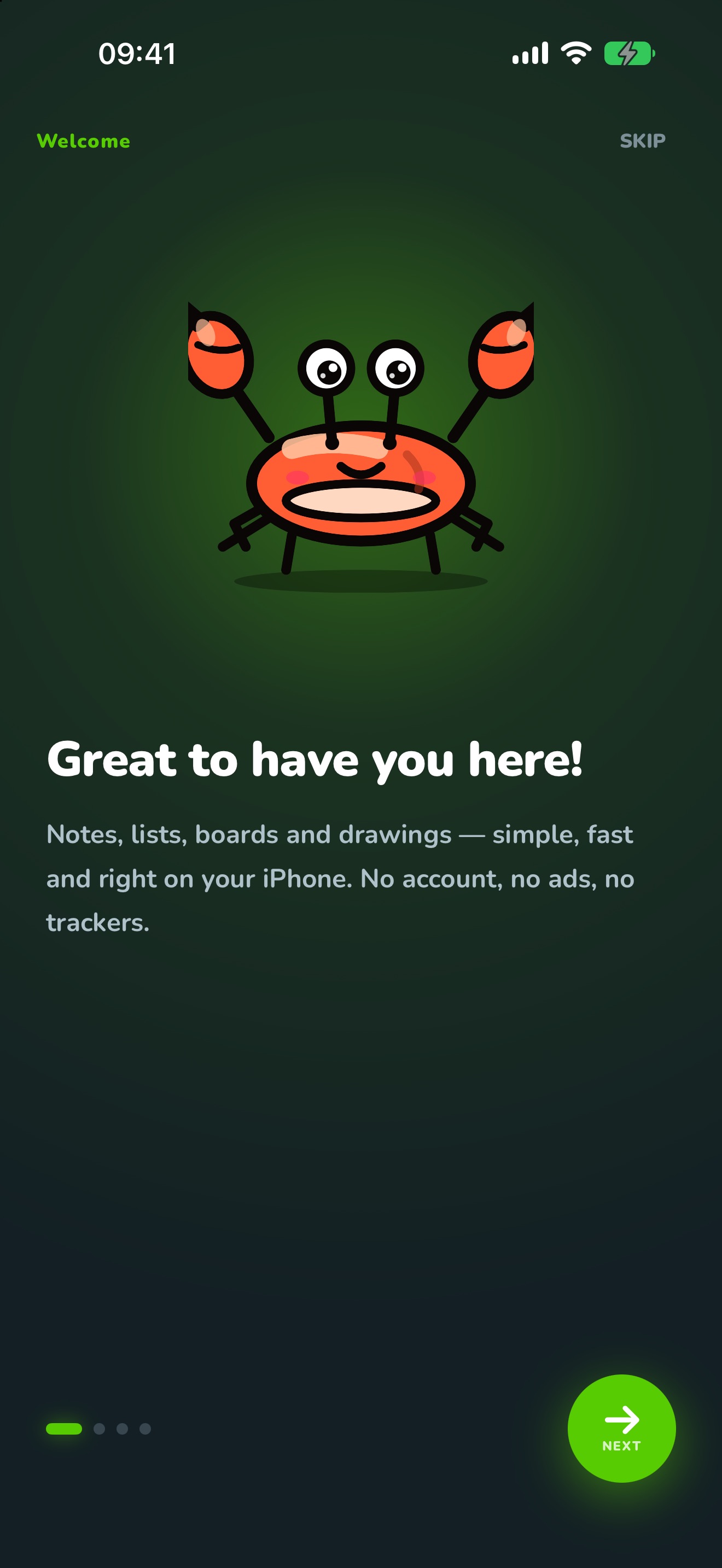
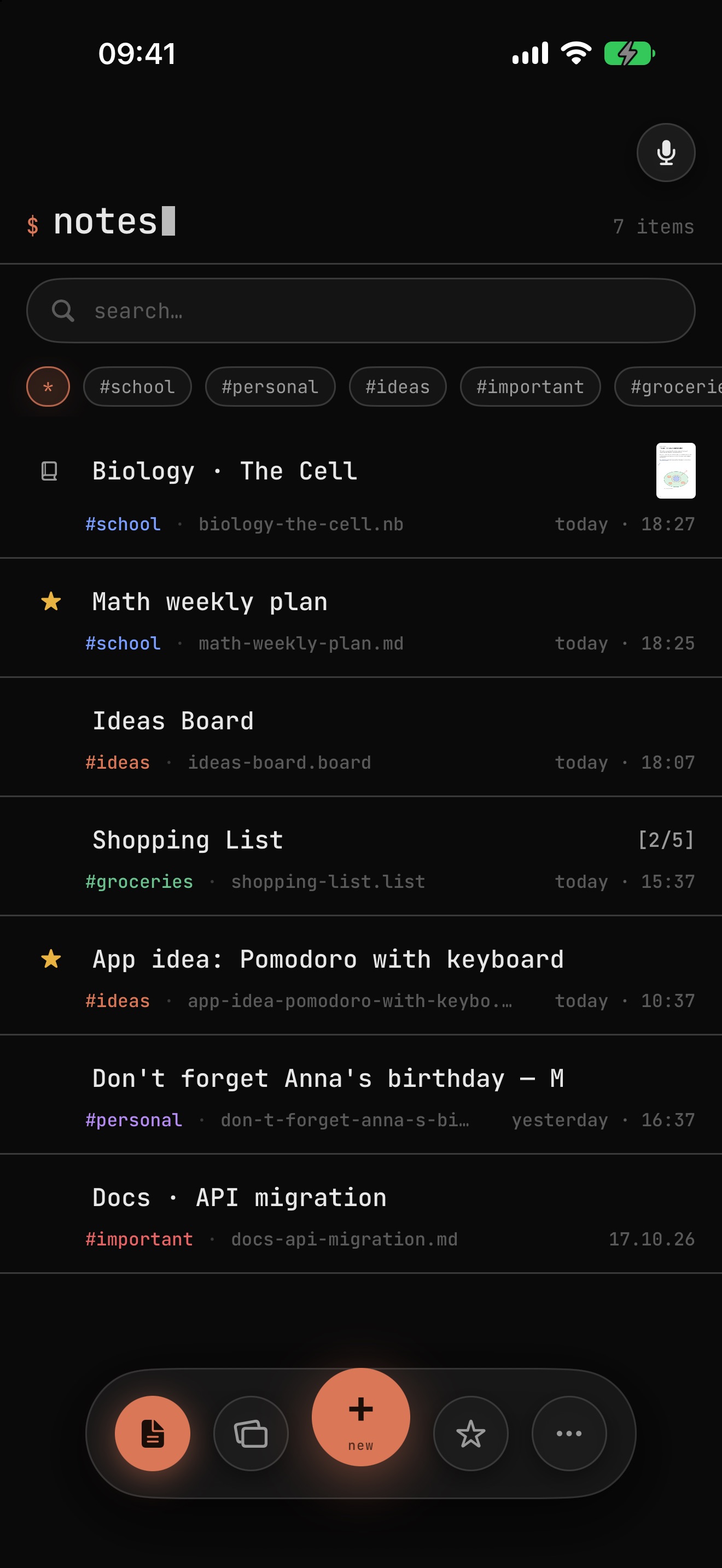
Swipe across the screen:Move your cursor over the phone: Krabby is waiting under the Terminal look. You choose which design you use – any time.
See the roadmapEverything a note needs.Nothing that gets in the way.
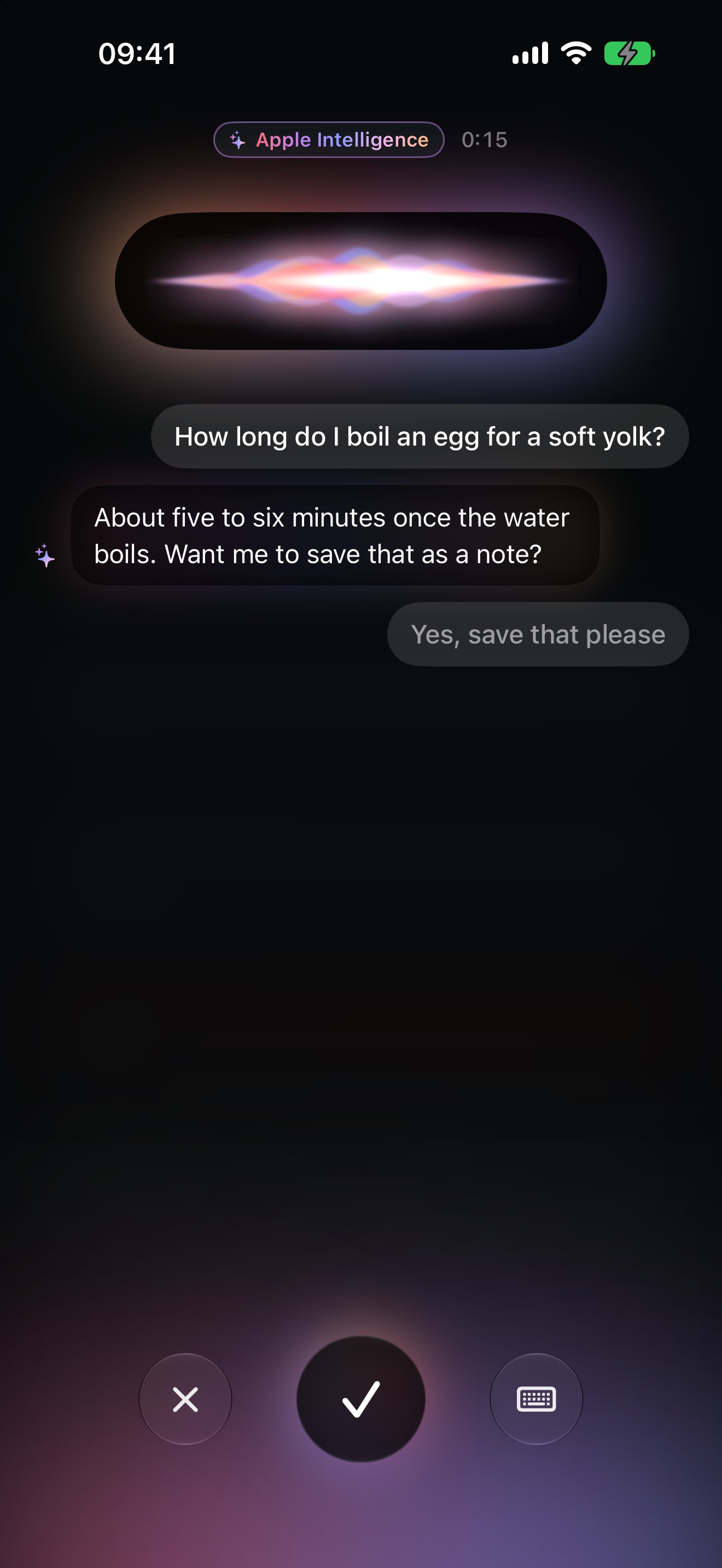
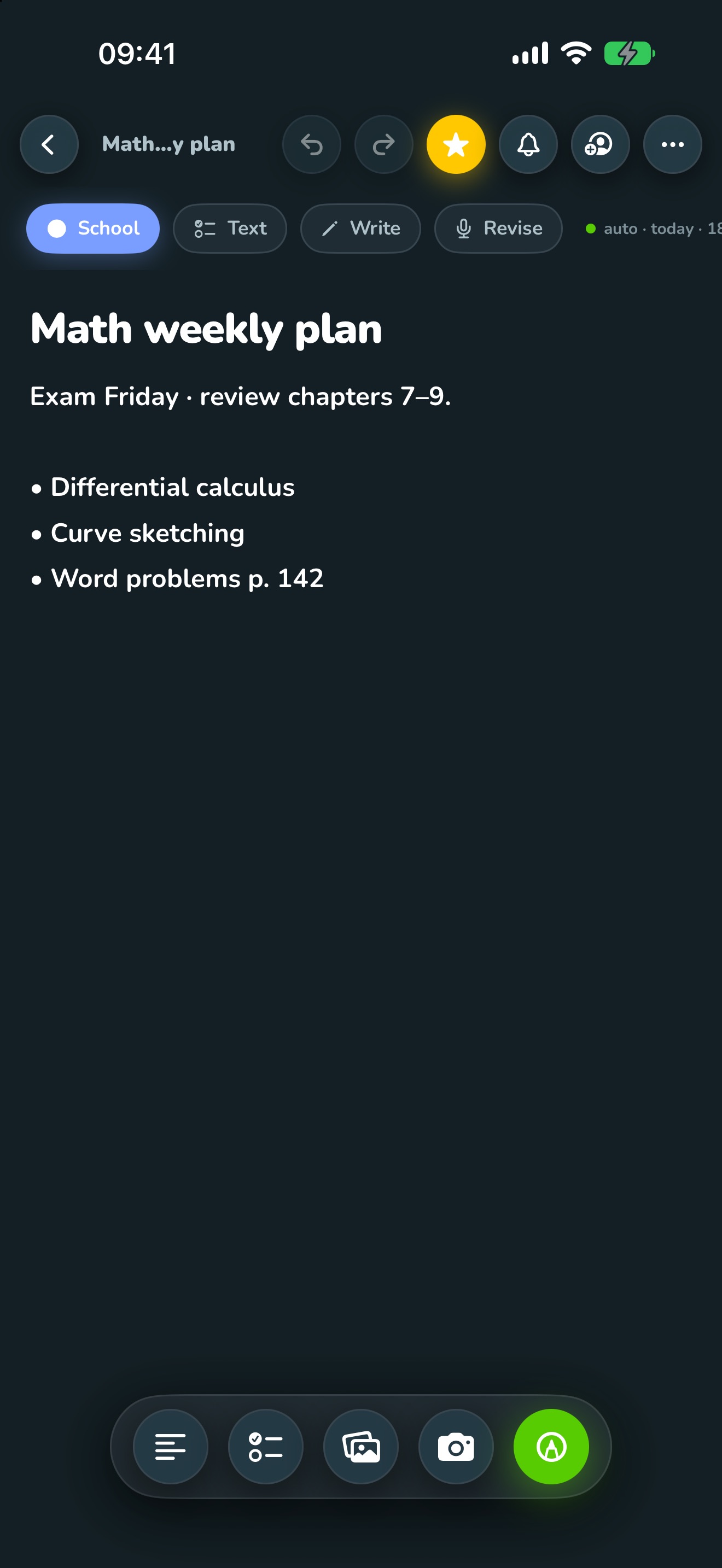
Speak instead of typing
Tap the microphone and just talk. The voice assistant writes along, tidies up, answers questions and even writes stories, poems or emails for you. Interrupt any time – or say “wait a moment” to think.
Write, check off, draw
Text, checklist or drawing – all in one note, with undo and redo. “Revise” tidies up your text with Apple Intelligence, right on your device.
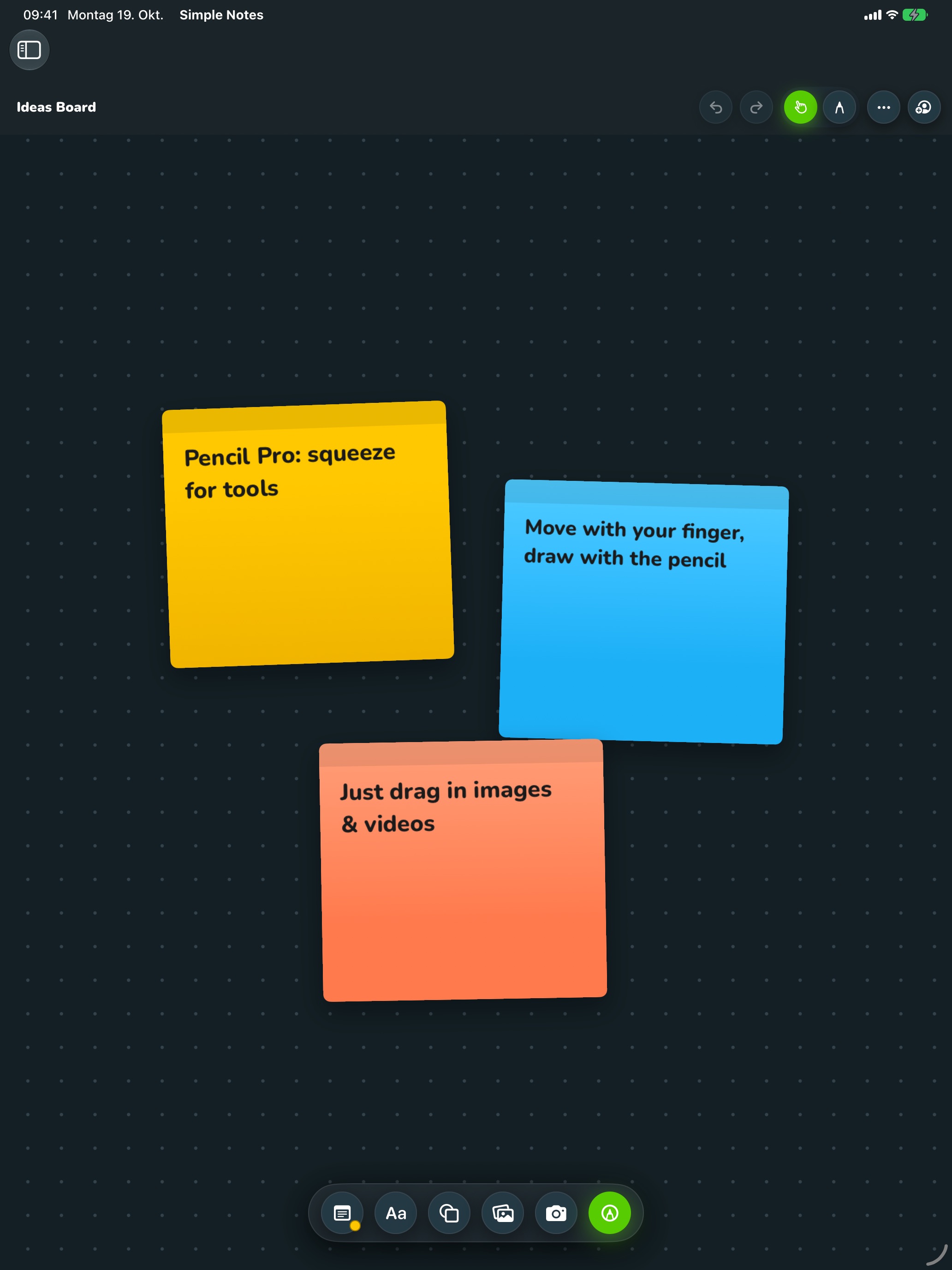
An infinite canvas
Boards are open spaces for sticky notes, photos, videos and shapes. Pens, markers and watercolor with real textures – just like Freeform. Move with your finger, draw with Pencil, zoom with two fingers.
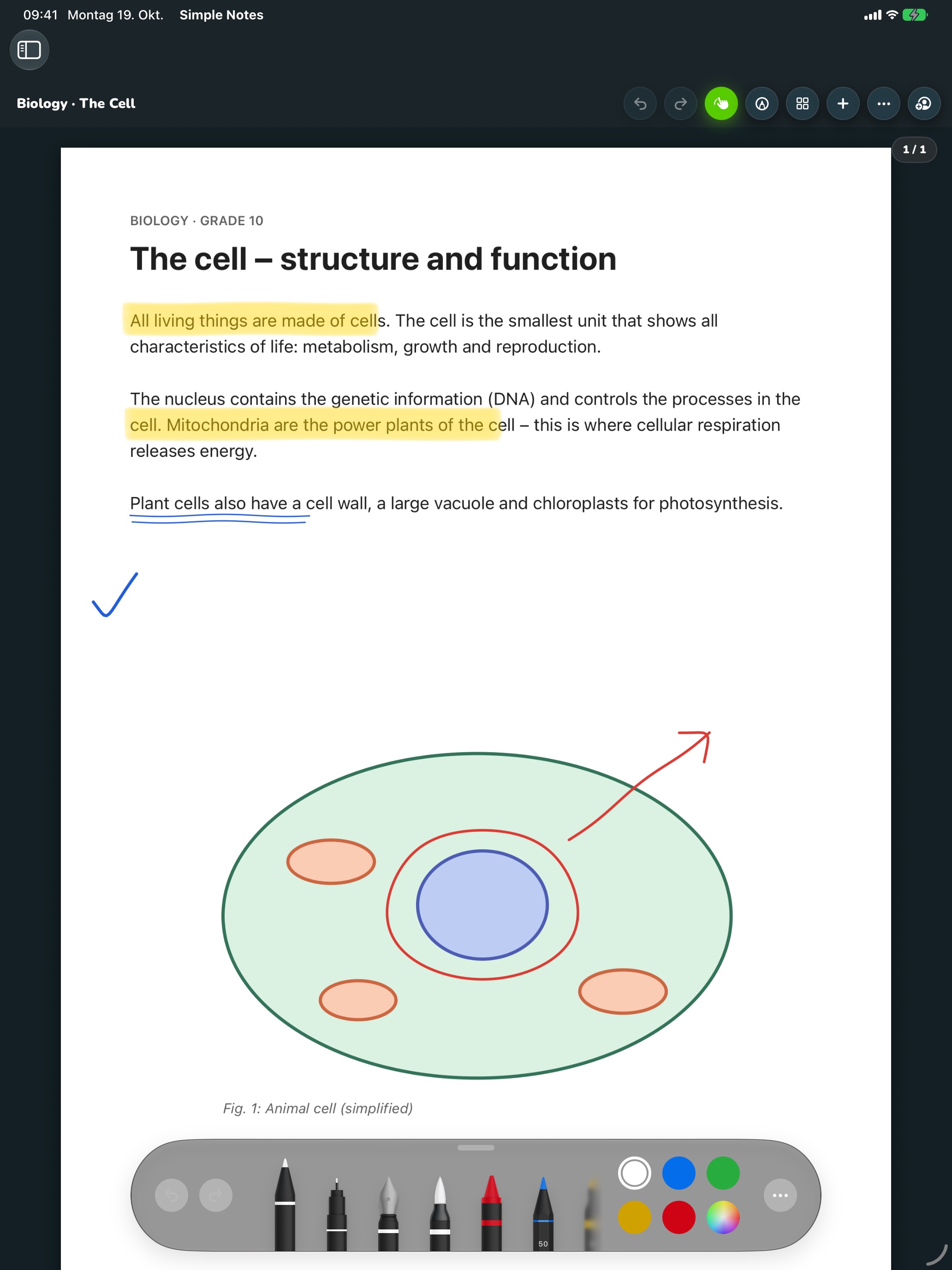
Notebooks, PDFs and your handwriting
For everyone who loves writing by hand: notebooks with pages, PDFs to write on, and handwriting that stays yours – just neater.
Notebooks with pages
Lined, grid, dotted or blank. Add and reorder pages and export them as PDF.
Import & annotate PDFs
Open lecture notes, forms or slides and write on them with Apple Pencil.
Your handwriting, neater
Slanted lines are straightened and smoothed automatically – it is still your writing.
Search your handwriting
Search also finds what you wrote by hand. Recognition runs on your device.
Offline first
Everything lives on your device. No account, no waiting for the network.
Apple Intelligence on device
Speech to text, the assistant and “Revise” run on your device. Cloud AI (Claude, ChatGPT, Gemini and more) only if you turn it on yourself.
No telemetry
No tracking, no analytics, no ads – by design.
Colors & categories
School, personal, ideas, important: colored cards and filters keep everything sorted.
Reminders & favorites
Set a reminder, star a note, archive it later.
In five languages
English, German, French, Spanish and Italian – the app and the voice assistant.
One notebook.Three devices.
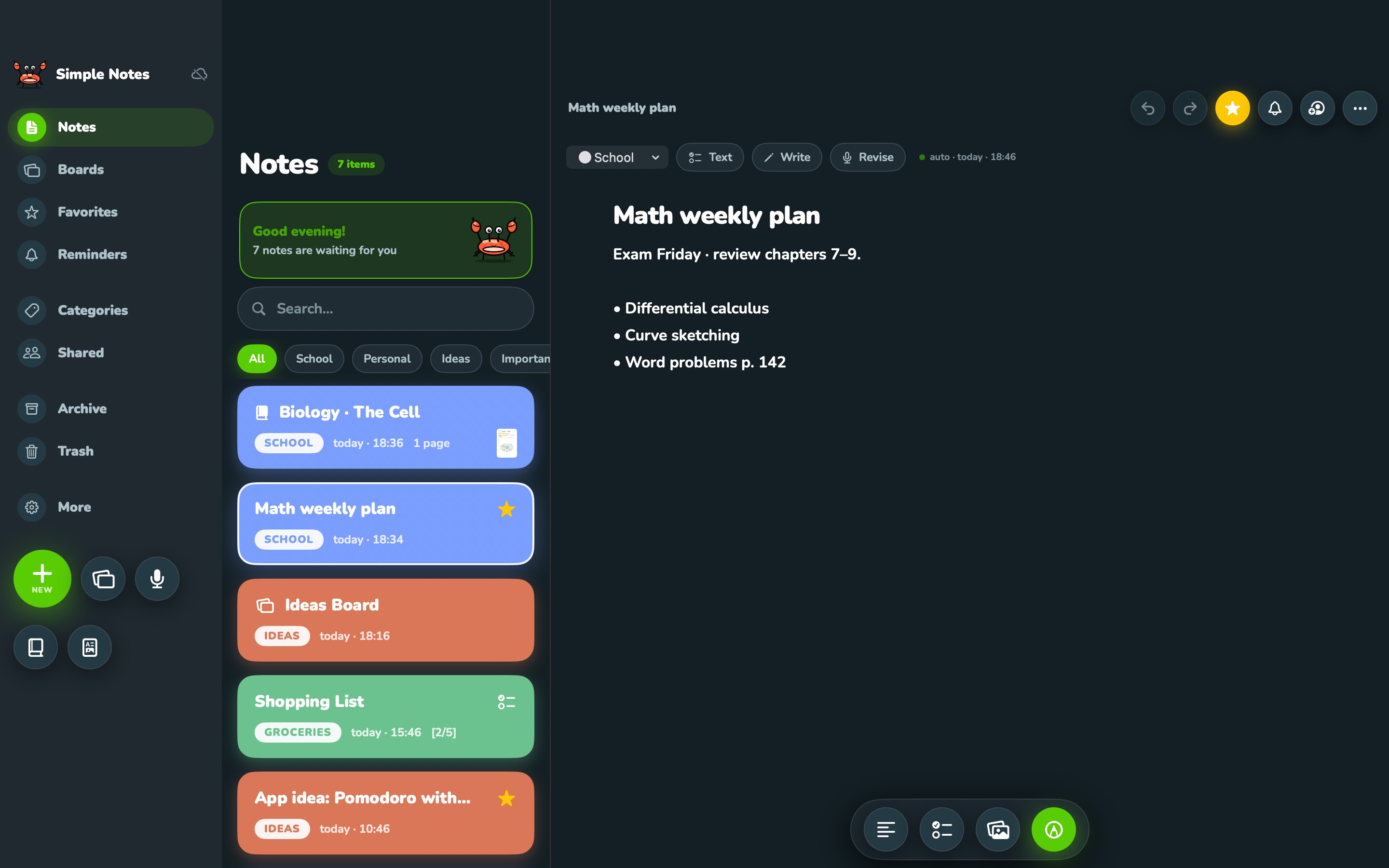
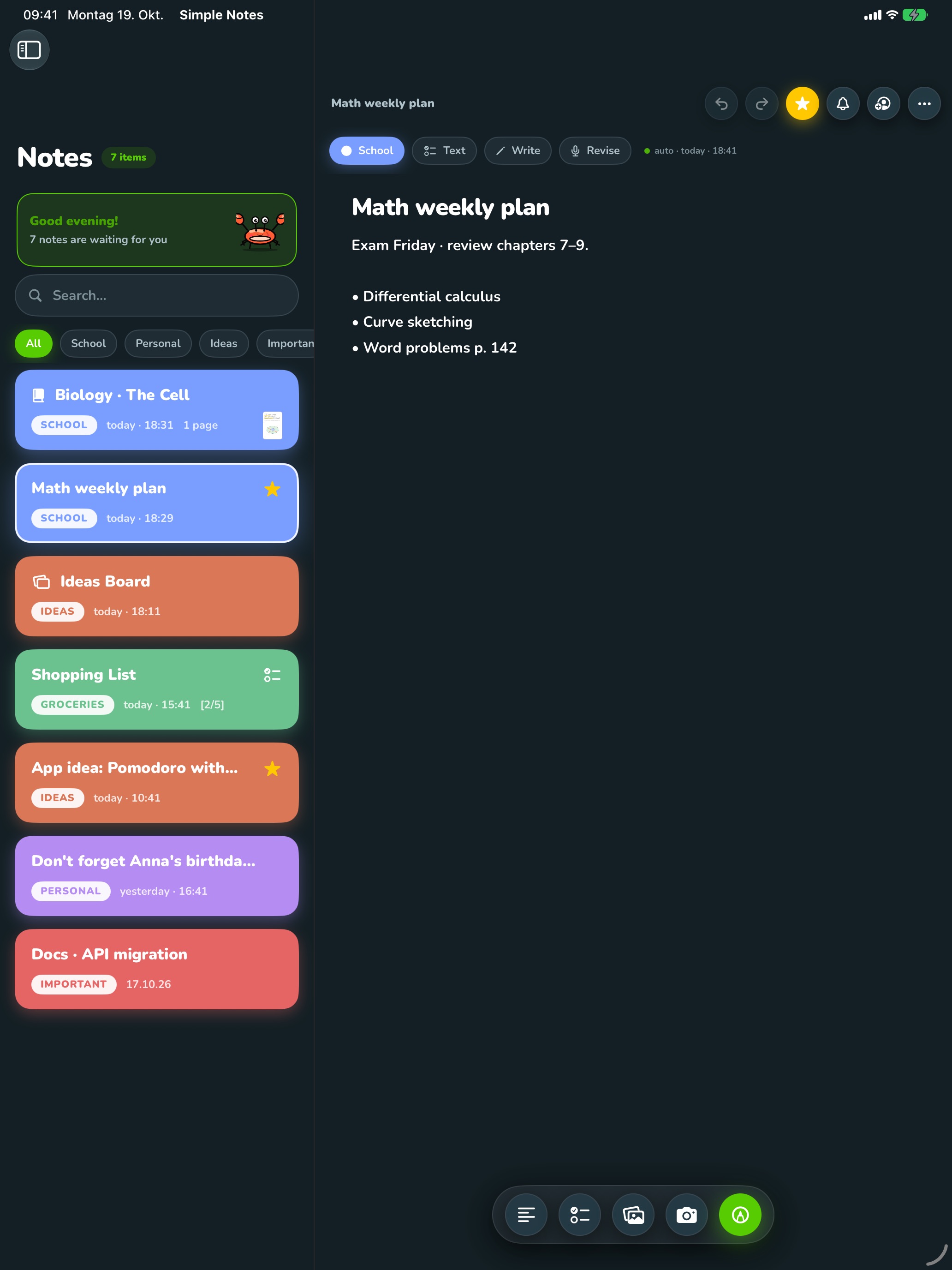
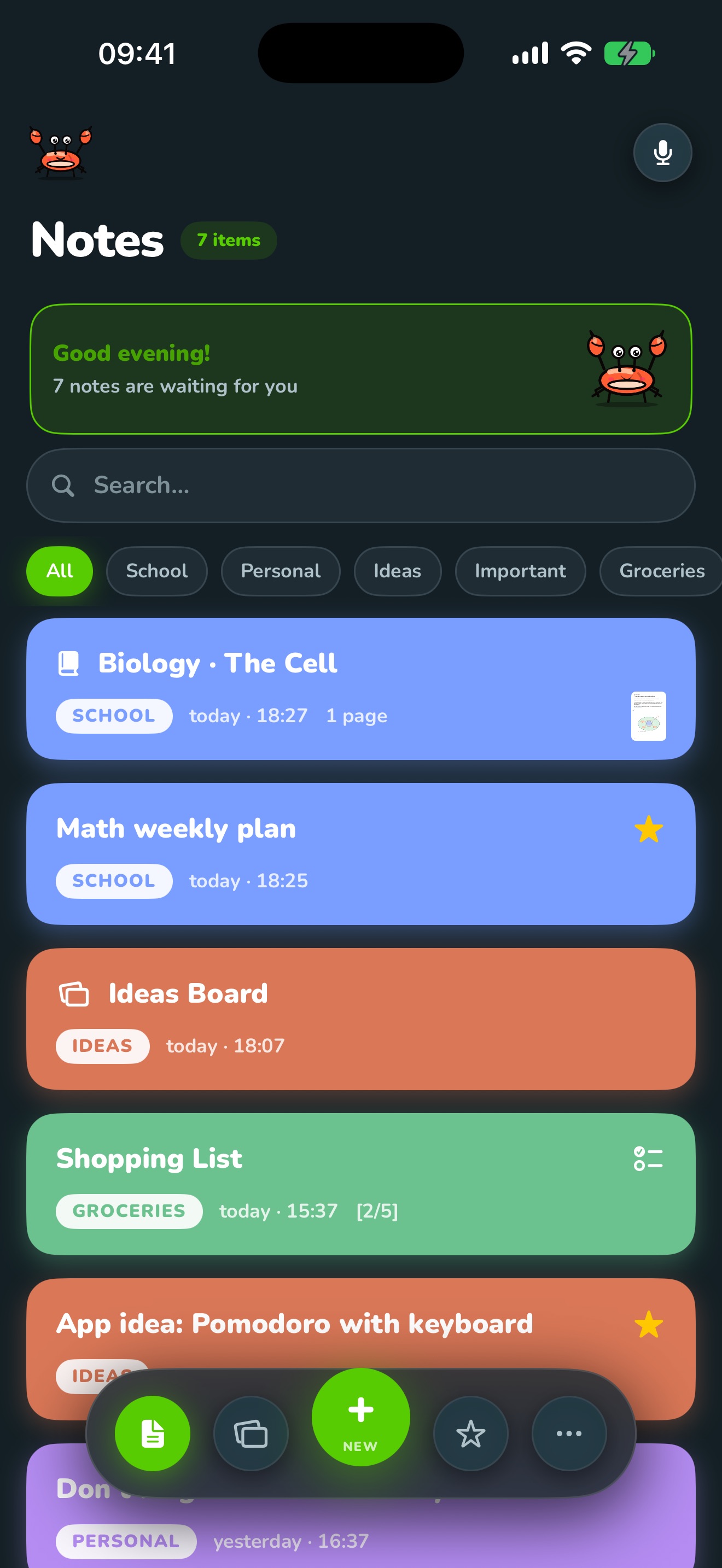
Simple Notes feels at home everywhere: on iPhone in your hand, on iPad with Pencil and on Mac with a keyboard.
iPhone
Krabby or Terminal look, voice mode in one tap and a Live Activity in the Dynamic Island.
iPad
Column layout with sidebar, notebooks and boards in full screen. Apple Pencil Pro: squeeze to open the tools.
Mac
A real Mac app with menu bar and keyboard shortcuts – and a Terminal intro at launch.
- ⌘N
- New note
- ⇧⌘N
- New board
- ⇧⌘R
- Voice note
- ⌘1 … ⌘9
- Switch sections
- ⌥⌘T
- Switch look
# icloud · active
iCloud sync
Notes, notebooks and boards move between iPhone, iPad and Mac automatically – through your own iCloud, no extra account. Sharing and editing together works too.
One app,two faces.
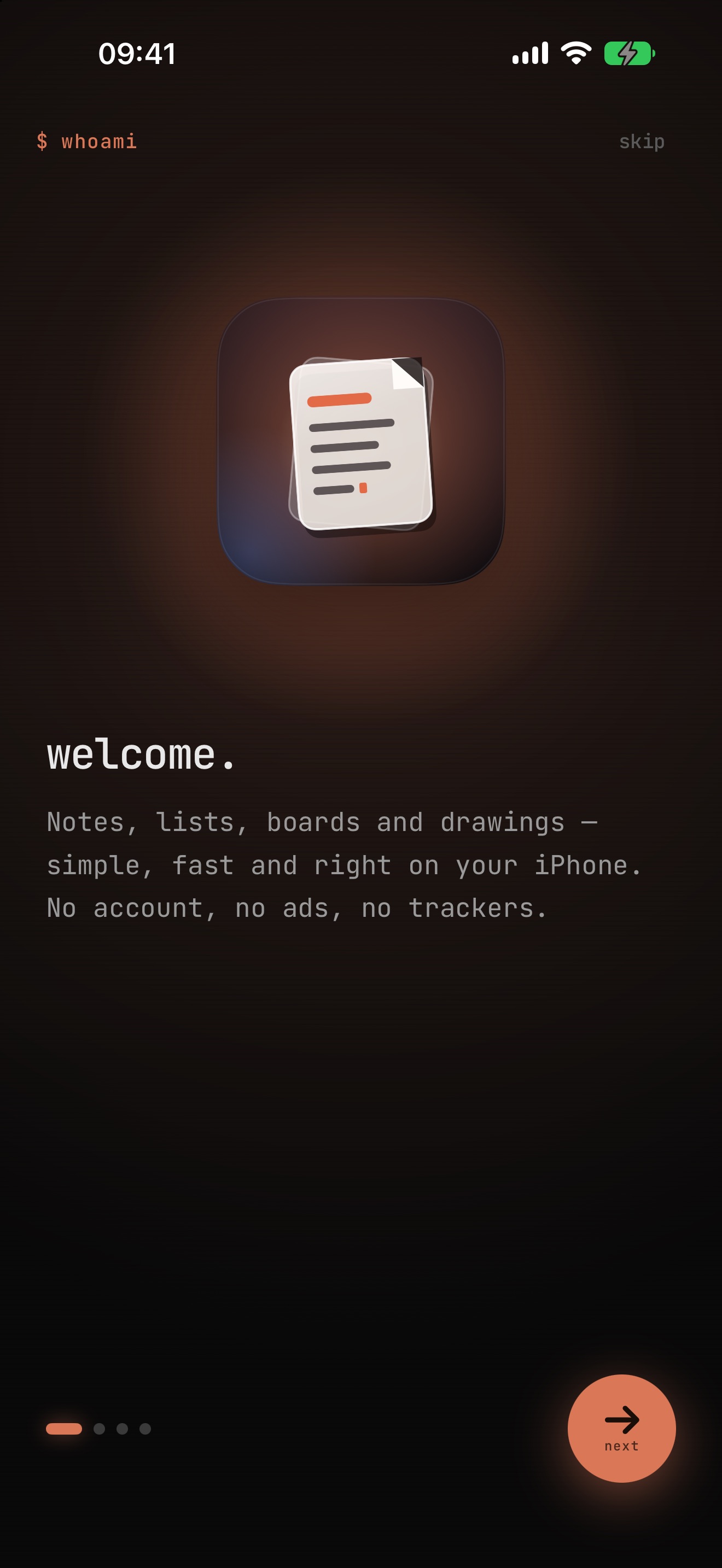
Switch any time with “Switch Look”. Your notes stay the same, only the look changes.
Terminal
# Monospace, orange accents and file names like shopping.list. With a terminal-style tour and a Terminal intro on Mac.
Krabby
Hey, I’m Krabby!
Round, colorful and friendly – colored cards, big buttons and Krabby as your companion.
Switch the look in the menu – on Mac with ⌥⌘T.
On the wayto the next stops.
Where Simple Notes stands today and where it is heading. Tap a stop to learn more.
# no dates – we’ll let you know when we reach a stop
Version 1.0.Coming to the App Store.
Simple Notes 1.0 is ready for iPhone, iPad and Mac and is being prepared for the App Store – free, no subscription, no ads.
Simple Notes
Notes, boards, voice
v1.0 · free · iPhone · iPad · Mac